AI engineering is the work of turning an existing AI model into a product people can actually use. You don't train the model: you connect it to an app, feed it the right data, control what it's allowed to do and make sure what comes out is safe to show.
Using a model, not building one
Training a large language model from scratch takes huge datasets, racks of GPUs and a research team. That is machine learning research, and very few companies do it. AI engineering starts where that work ends: with a pre-trained model someone else has already built, from a provider such as OpenAI or Anthropic, or an open-weight model downloaded from Hugging Face.
The closest comparison is a database. Most developers never write a database engine, but plenty of them build excellent products on top of one. An AI engineer treats the model the same way: as a powerful component with known strengths, known failure modes and a cost per use. The skills are mostly software engineering ones: APIs, data pipelines, testing, security, latency and cost.
Hosted API or open weights
There are two common ways to get at a model, and the choice shapes everything after it.
| Hosted API | Open-weight model | |
|---|---|---|
| Setup | An API key | Your own servers or GPUs |
| Cost | Pay per token | Pay for hardware |
| Control | Provider's rules | Full control of data |
A hosted API is the quickest start and usually the strongest models. Running an open-weight model yourself keeps data inside your own systems and removes per-call fees, but you now own the hardware, scaling and updates.
Giving the model a job
On its own, a language model does one thing: text goes in, text comes out. It knows nothing about your users, your products or anything that happened after its training data was collected. It also forgets everything between calls: each request only knows what you send with it.
So the first job is plumbing. Your app calls the model's API with a list of messages and gets a reply back, the same way it would call any other web service. That call can sit behind a chat window, a search box, a support widget or a code tool in an editor. The model is the same in each case; what changes is the product wrapped around it.
Orchestration: everything around the call
A single API call rarely makes a good feature. Orchestration is the code that decides what goes into each call and what happens to the answer. Four pieces come up again and again.
Prompts
The system prompt is a standing instruction sent with every request: the assistant's role, its rules and the format its answers should take. Treat prompts like code. Keep them in version control, change them deliberately and test each change, because a small wording tweak can shift behaviour across thousands of answers.
Memory
Because the model forgets between calls, 'memory' is something you build. The simplest version resends the recent conversation with each request. Longer conversations outgrow the model's context window (the limit on how much text one request can hold), so apps summarise older turns or store key facts in a database and pull back only the ones that matter.
RAG
Retrieval-augmented generation (RAG) lets a model answer from your own data. The model's training data is frozen and never included your private documents, so you search them at request time and paste the relevant parts into the prompt.
It works in two stages. Ahead of time, you split your documents into small chunks and turn each one into an embedding: a list of numbers that captures its meaning, so chunks about similar things end up close together. These go into a vector index. At request time, you embed the user's question, find the closest chunks and send them to the model with an instruction to answer only from them.
Here is one request through a RAG pipeline:
One question through a RAG pipeline
Step 1 of 7: A user asks how to reset their password, and the question reaches your app.
RAG is why a support bot can quote this week's refund policy rather than guess. It also makes answers checkable, because you know exactly which chunks the model was given and can show them as sources.
Guardrails
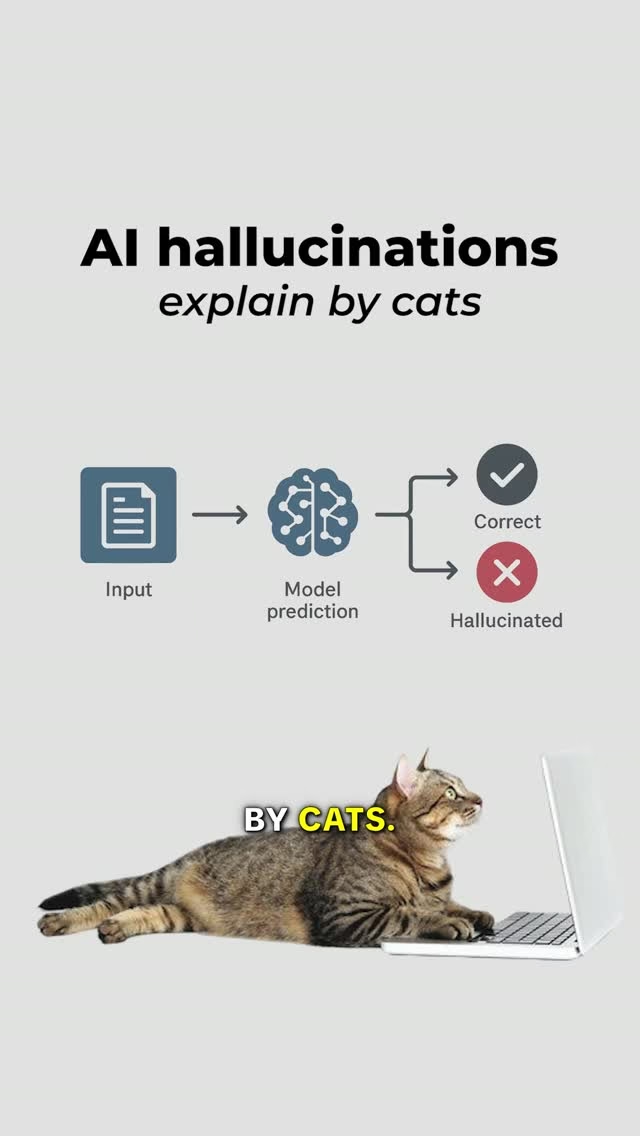
A model can produce fluent, confident text that is simply wrong: a hallucination. Guardrails are the checks that stop that, and other bad output, reaching users. Some run before the call: rejecting off-topic requests or stripping out personal data. Others run after it: checking the reply is valid JSON, that it doesn't leak anything private, or that it actually draws on the retrieved sources. The important part is that guardrails are code you control. Asking the model nicely in the prompt helps, but it isn't a guarantee.
A worked example: a support assistant
Here is the core of a help-centre assistant in Python. search_help_centre, call_model and passes_checks stand in for your vector search, your provider's SDK and your own validation.
SYSTEM_PROMPT = (
    "You answer questions for Acme support. "
    "Use only the docs provided. If they don't "
    "cover the question, say you don't know."
)

def answer(question, history):
    chunks = search_help_centre(question, top_k=3)
    if not chunks:
        return "I couldn't find that in our docs."

    docs = "\n\n".join(c.text for c in chunks)
    messages = [
        {"role": "system", "content": SYSTEM_PROMPT},
        *history[-6:],
        {"role": "user",
         "content": f"Docs:\n{docs}\n\nQ: {question}"},
    ]
    reply = call_model(messages)

    if not passes_checks(reply, chunks):
        return "Let me pass you to a human."
    return reply
Every piece of orchestration is here. The search is the retrieval in RAG. history[-6:] is a simple memory that keeps the last six messages. The system prompt sets the rules. The two early returns are guardrails: one refuses to answer with no sources, the other hands over to a person when the reply fails its checks. The model call itself is one line.
Agents: models that take actions
A plain model call returns text. An agent is a model that can also act: read a database, update a record, call an API, then decide what to do next based on the result.
The mechanism is tool calling. You describe each tool to the model, with its name and parameters. Instead of answering, the model can reply with a request to call one. Your code runs that tool, sends the result back and calls the model again. The loop continues until the model gives a final answer.
TOOLS = {
    "get_order": get_order,
    "refund_order": refund_order,
}

def run_agent(messages):
    for _ in range(5):  # hard cap on steps
        reply = call_model(messages, tools=TOOLS)
        messages.append(reply.message)
        if reply.tool_call is None:
            return reply.text
        call = reply.tool_call
        result = TOOLS[call.name](**call.args)
        messages.append(tool_result(call, result))
    return "Stopped: too many steps."
The model never runs anything itself. It only asks, and your code decides whether to carry out the request. That is where you put the controls: which tools exist, what each is allowed to touch, and whether a risky one such as refund_order needs a person to approve it first. Protocols such as MCP standardise how tools are described to a model, which the MCP vs API video covers.
Agents are powerful but harder to predict than a single call. Each extra step is another chance to go wrong, and costs more time and money. If a fixed sequence of calls does the job, use that instead.
When to use it
AI features fit tasks where language is fuzzy: summarising a long thread, classifying support tickets, drafting a reply, or searching by meaning rather than exact words. They fit less well where there's one exact right answer that ordinary code can already compute, such as tax, stock levels or permissions. A model is slower and more expensive than a SQL query, and it can be wrong in ways a query can't. Use it where its flexibility earns the cost.
Common mistakes
- Trusting output without checks. Validate structure and content before anything reaches a user or a database.
- No evaluation set. Keep a fixed list of real questions with good answers, and rerun it whenever you change a prompt, model or retrieval setting.
- Pasting everything into the prompt. A whole knowledge base in every request is slow, expensive and often worse than retrieving the few chunks that matter.
- Giving an agent too much power. Start with read-only tools and add write access one tool at a time.
- Treating the prompt as a security boundary. Text from users or retrieved documents can contain instructions of its own ('ignore your rules'). This is prompt injection, and only checks in your code reliably stop it.
Key takeaways
- AI engineering builds products on existing models; it doesn't train them.
- The model is one component. Prompts, memory, retrieval and guardrails make it useful.
- RAG grounds answers in your own data by searching it and adding the results to the prompt.
- Agents use tool calling in a loop, and your code decides which actions really happen.
- Test prompts like code, and never let unchecked model output act on its own.